In this article, we will configure a Network Block Device on a Debian system. The communication will occur via a loopback device, with both the client and server running on the same system.
As you may know, Network Block Devices (NBD) allow us to access remote storage devices that are not physically present on the local machine. With NBD, we can access and utilize these remote storage devices on the local machine in the following three ways:
- SWAP
- File System
- RAW
Let’s get right into it. For the NBD export, export, an empty file will be used. The /opt directory is to be used for the exported device and configuration files. But Production environments may prefer different locations.
- Install the NBD client and server packages.
$ mkdir ~/src
$ cd ~/src
$ git clone https://github.com/NetworkBlockDevice/nbd.git
The packages docbook-utils and autoconf-archive may not be installed on your system, install them now.
$ sudo apt install nbd-client nbd-server
- Create an nbd-server.conf file in the
/optdirectory. A minimal, no-comments file is sufficient. (A more interesting configuration file can be found in the SOLUTIONS directory
$ sudo vi /opt/nbd-server.conf
/opt/nbd-server.conf
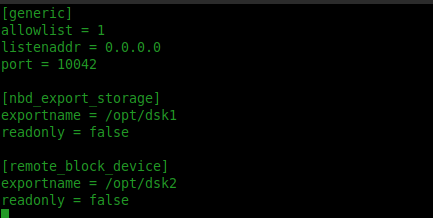
[generic]
    allowlist = 1
    listenaddr = 0.0.0.0
    port = 10042

[nbd_export_storage]
    exportname = /opt/dsk1
    readonly = false

[remote_block_device]
    exportname = /opt/dsk2
    readonly = false
- Create two files for exporting and set the ownership to your user
$ sudo dd if=/dev/zero of=/opt/dsk1 status=progress bs=100M count=5
$ sudo dd if=/dev/zero of=/opt/dsk2 status=progress bs=100M count=5
$ sudo chmod 777 /opt
$ sudo chown muutassim.muutassim /opt/*
- Verify the nbd respond to a query
$ sudo nbd-server -C /opt/nbd-server.conf
$ sudo nbd-client -l 127.0.0.1 -p 10042

- Install the nbd kernel module, and verify the block devices are present
$ sudo modprobe -i nbd
$ ls /dev/nbd*

- Connect the server supplied image, using the ip address, port to the local block device
sudo nbd-client -N nbd_export_storage 127.0.0.1 10042 /dev/nbd0
- Wipe out the NBD
$ sudo dd if=/dev/zero of=/dev/nbd0 bs=1M count=5

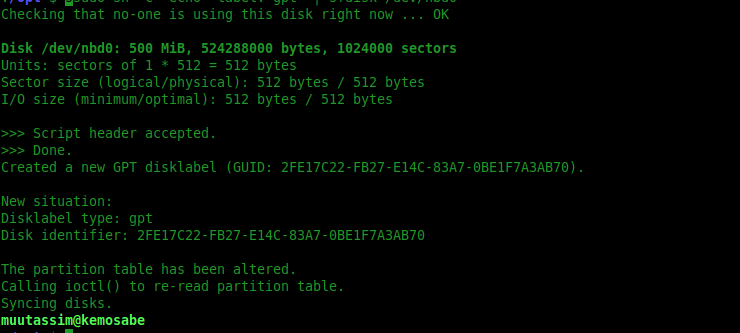
- Create GPT label oon the NBD:
sudo sh -c "echo 'label: gpt' | sfdisk /dev/nbd0"
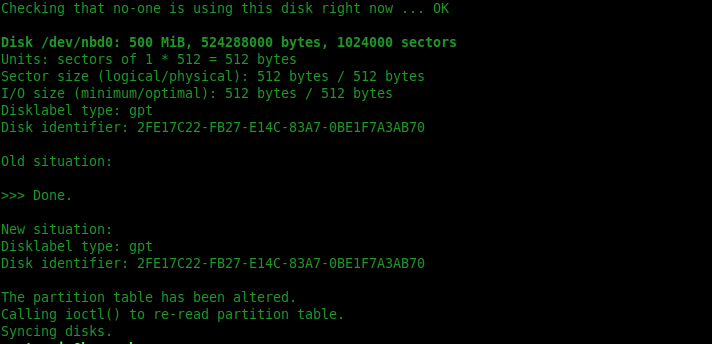
- Add a partition to the NBD:
$ sudo sh -c "echo';'| sfdisk /dev/nbd0"
- Add an ext3 filesystem to the network block device and test:
$ sudo mkfs.ext3 -L nbd-foo /dev/nbd0
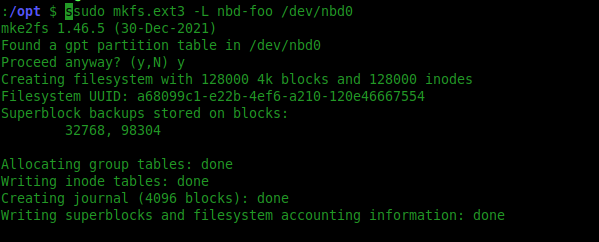
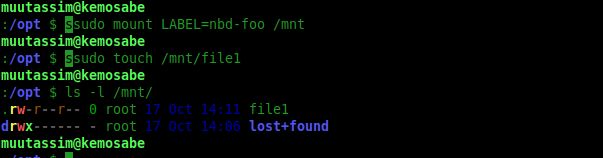
$ sudo mount LABEL=nbd-foo /mnt
$ sudo touch /mnt/file1
$ ls -l /mnt